Configuration
Set the CI time budgets for flaky test detection and turn on auto-quarantine.
Every Test Engine setting lives on one page of the dashboard: Test Engine > Flaky Tests > Configuration. Pick a repository in the selector at the top right. The settings apply to that repository only, except the ones under Global.
Changing a setting requires write access to the repository. Without it, the page shows the current values but you cannot change them.
Global
Section titled GlobalThe settings in this section apply to every repository of the organization.
Data Retention shows how long Mergify keeps your test runs, which depends on your plan. Mergify judges test health from the runs it keeps, so a longer history makes the health status more accurate and catches flaky tests that fail only once in a while.
Native Flaky Detection
Section titled Native Flaky DetectionMergify’s test framework plugins rerun your tests to find flaky ones, within the CI time budgets you set in this section. Without a plugin, these settings have no effect: see the test framework configuration to install one.
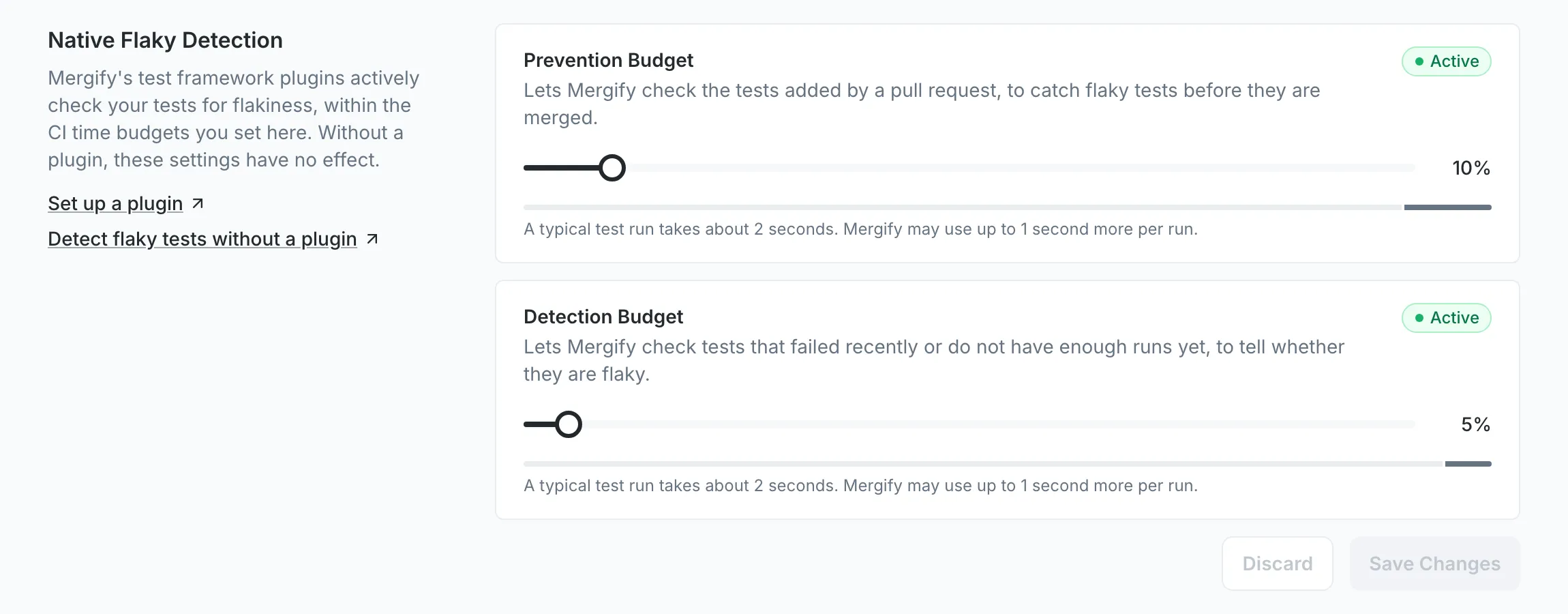
-
Prevention Budget: CI time Mergify can spend rerunning the tests a pull request adds, to catch flaky tests before they merge. Prevention reruns tests within this budget.
-
Detection Budget: CI time Mergify can spend rerunning tests that failed recently or do not have enough runs yet, to tell whether they are flaky. Detection reruns unhealthy tests within this budget.
Each budget is a percentage of a typical test run. At 10%, Mergify may add up to a tenth of that run’s duration to each run. The line under the slider shows how much time that is for your repository.
A repository starts with no budget saved, so Mergify spends no extra CI time until you set one. Move the sliders, then click Save Changes. Both budgets are saved together, and Discard drops the changes you have not saved yet.
The badge next to each budget reads Active once a plugin has recently used that budget, and Not Used Yet otherwise.
Auto-quarantine
Section titled Auto-quarantineAuto-quarantine lets Mergify quarantine tests without anyone doing it by hand. See Mitigation for what quarantine does to a test, and when Mergify quarantines a test itself for the evidence it waits for.
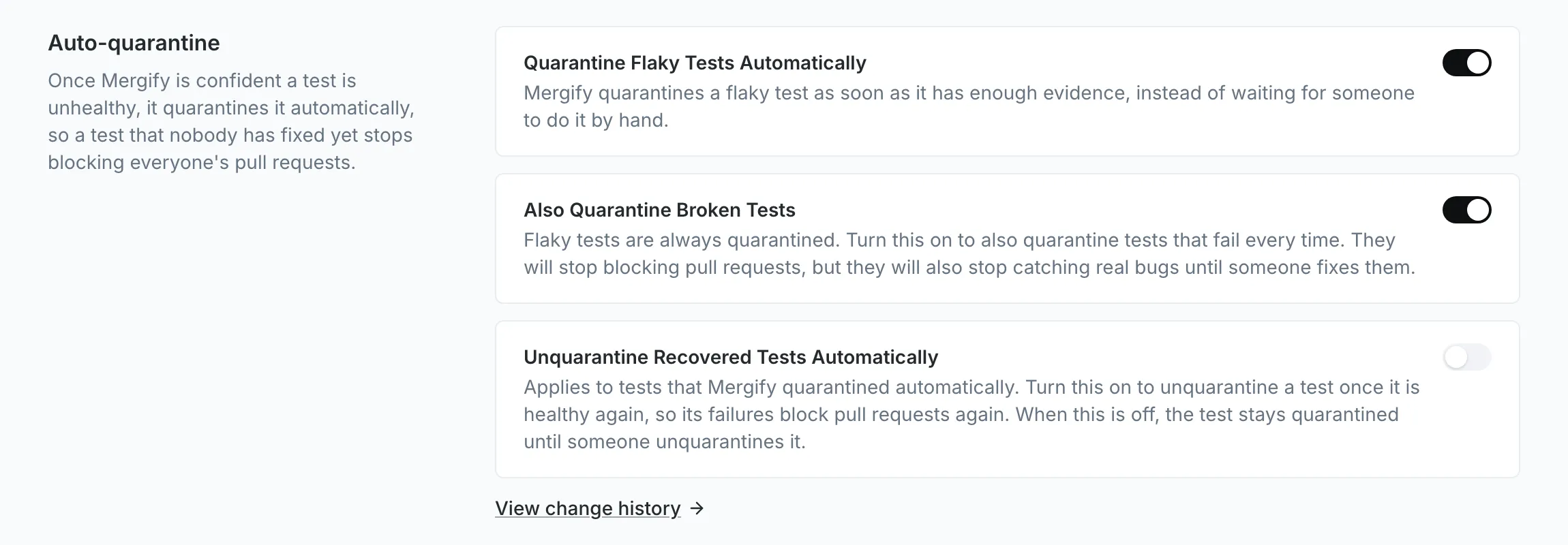
-
Quarantine Flaky Tests Automatically: the main switch. Once it is on, Mergify quarantines a flaky test as soon as it has enough evidence.
-
Also Quarantine Broken Tests: quarantines tests that fail every time as well. They stop blocking pull requests, but they also stop catching real bugs until someone fixes them.
-
Unquarantine Recovered Tests Automatically: once a test that Mergify quarantined is healthy again, Mergify takes it out of quarantine. When it is off, the test stays quarantined until someone unquarantines it.
The two options can only be changed while the main switch is on. The main switch asks you to confirm before it turns auto-quarantine on or off; the two options take effect as soon as you flip them, with no save step. View change history opens the activity log for auto-quarantine changes.
Auto-quarantine is available on plans that include quarantine. On other plans, the section shows its switches turned off and grayed out.
Was this page helpful?
Thanks for your feedback!