Setting Up a Merge Queue
Get your merge queue running in 5 minutes.
Get your first PR merged through a queue in under 5 minutes. No complex setup required.
Quick Start
Section titled Quick Start1. Install Mergify
Section titled 1. Install MergifyInstall the Mergify GitHub App on your repository. That’s it: you now have a working merge queue.
2. Queue Your First PR
Section titled 2. Queue Your First PROn any open pull request, comment:
@mergifyio queue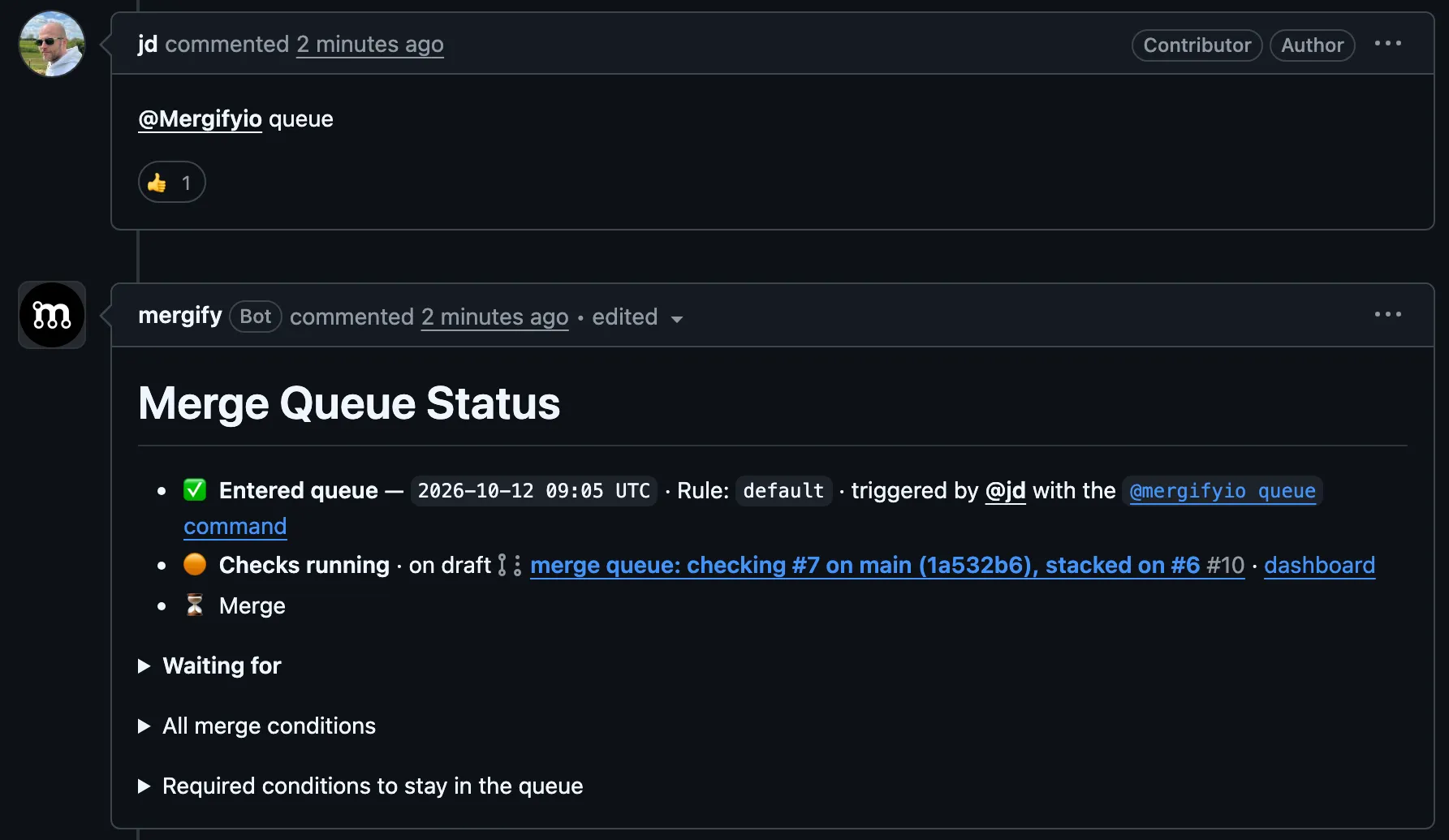
Mergify adds your PR to the queue, updates it against the latest main branch, waits for CI to pass, and merges it automatically.
3. Watch It Work
Section titled 3. Watch It WorkOpen the Mergify dashboard to see your PR moving through the queue in real-time.
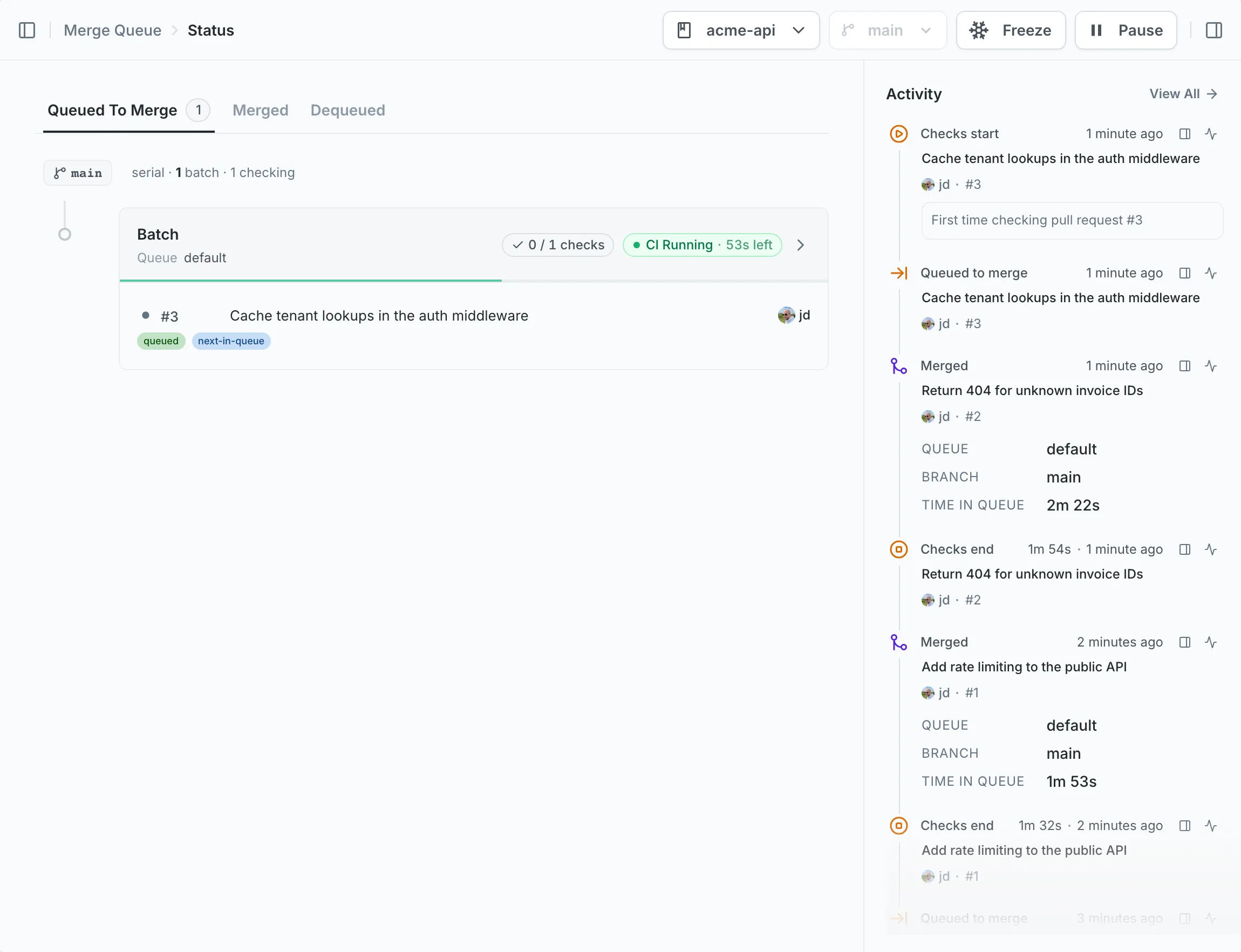
That’s it. Your merge queue is live.
What You Get Immediately
Section titled What You Get ImmediatelyWith zero configuration, your queue already:
- Updates PRs against the latest main before merging
- Runs your CI on the updated code (not stale branches)
- Merges automatically when checks pass
- Respects your GitHub branch protections and rulesets
This alone prevents the classic problem: PRs that pass CI individually but break main when merged together.
Next Steps
Section titled Next StepsOnce your basic queue is running, explore these optimizations:
| Goal | Feature | Guide |
|---|---|---|
| Skip manual queueing | Auto-queue approved PRs | Auto-Merge |
| Merge faster | Test multiple PRs in parallel | Parallel checks |
| Save CI costs | Combine PRs into single CI runs | Batches |
| Prioritize urgent PRs | Jump the queue when needed | Priority |
| Run heavy tests only at merge | Split fast/slow CI checks | Two-step CI |
| Monorepo optimization | Only test affected code | Scopes |
Was this page helpful?
Thanks for your feedback!