Mergify Rebase Command
Rebase a pull request.
The rebase command provides users with an instant method to instruct Mergify
to rebase a pull request against its base branch. It’s a handy way to ensure
that the pull request is updated with the latest changes from the base branch
without manually triggering a rebase.
The rebase command lets developers keep their pull requests up-to-date and
maintain a clean commit history.
The rebase command provided by Mergify has several advantages over the native
GitHub rebase feature:
-
When the
dismiss_reviewsaction is being used, it will not reset the reviews if the rebase is executed by Mergify. -
It’s always available, whatever the repository configuration might be.
-
It can be restricted to certain users or teams.
Syntax
Section titled SyntaxTo make use of the rebase command, simply comment on the desired pull
request:
@mergifyio rebase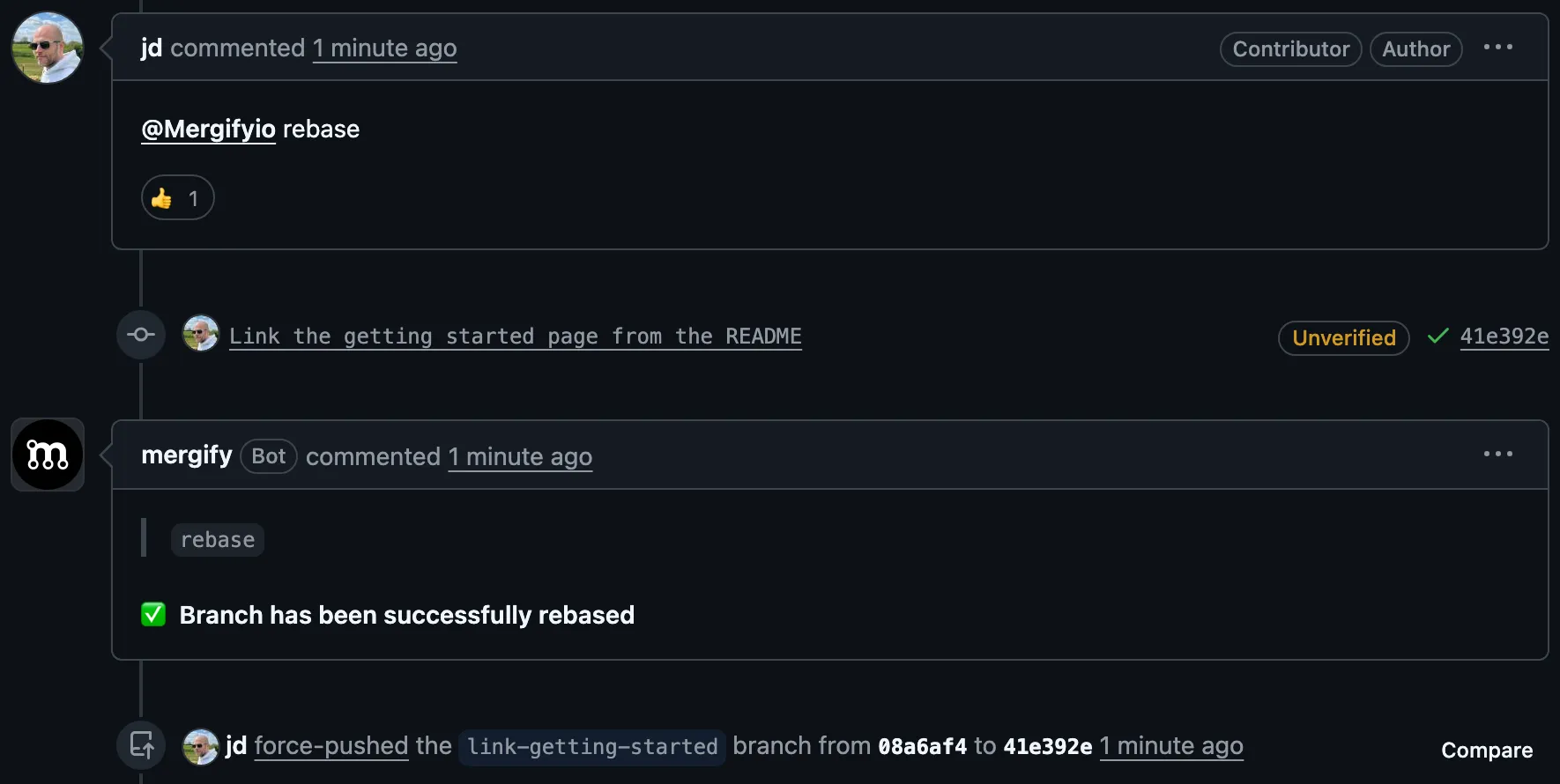
Requirements
Section titled RequirementsWhatever your configuration says, Mergify adds its own requirements before it
rebases: the pull request has to be open, free of conflict with its base branch,
not in a merge queue, and either behind its base branch or without a linear
history. The same requirements apply to the rebase
action.
When one of them does not hold, the command answers that there is nothing to do
and stops there. Unlike queue and
backport, it does not wait for the requirements to be
met, so run it again once the pull request has something to rebase.
Impersonation
Section titled ImpersonationMergify pushes the rebased branch as a GitHub user, not as itself. Unless a
bot_account is configured, that user
is whoever posted the command. That account must have signed in to the
Mergify dashboard at least once, and must have
write access to the repository. When either is missing, the command fails with
Mergify can't impersonate.
That account cannot be a bot: Mergify cannot impersonate an account owned by
another GitHub App. When a GitHub App posts the command, the fallback account is
that bot, and the command fails. Set bot_account to a user account so the
command still runs.
A fork’s head branch lives in another repository, and Mergify can only
force-push the rewritten branch there as the impersonated user. That is why
Mergify refuses the command on a pull request opened from a fork, even when
bot_account is set: the account it names would be the one force-pushing a
contributor’s branch.
A pull request opened from another repository whose head branch Mergify cannot
write at all, such as one whose fork has been deleted, is refused for that
reason instead, and the check run says so. The update
action covers those cases, which
refuse update too.
The update command merges the base branch instead of
rewriting the head branch, and impersonates nobody unless you configure a
bot_account, so it keeps working on pull requests opened from a fork.
Was this page helpful?
Thanks for your feedback!