Integrating GitHub with Mergify
Managing Mergify GitHub installation.

Mergify is fully integrated with GitHub and many features require Mergify to be installed on your repositories.
Configuring Enabled Products
Section titled Configuring Enabled ProductsYou enable Mergify products per repository, on the Repositories page of the dashboard. Open the organization selector at the top of the sidebar and pick Configure repositories; the GitHub tile on the Integrations page leads to the same screen.
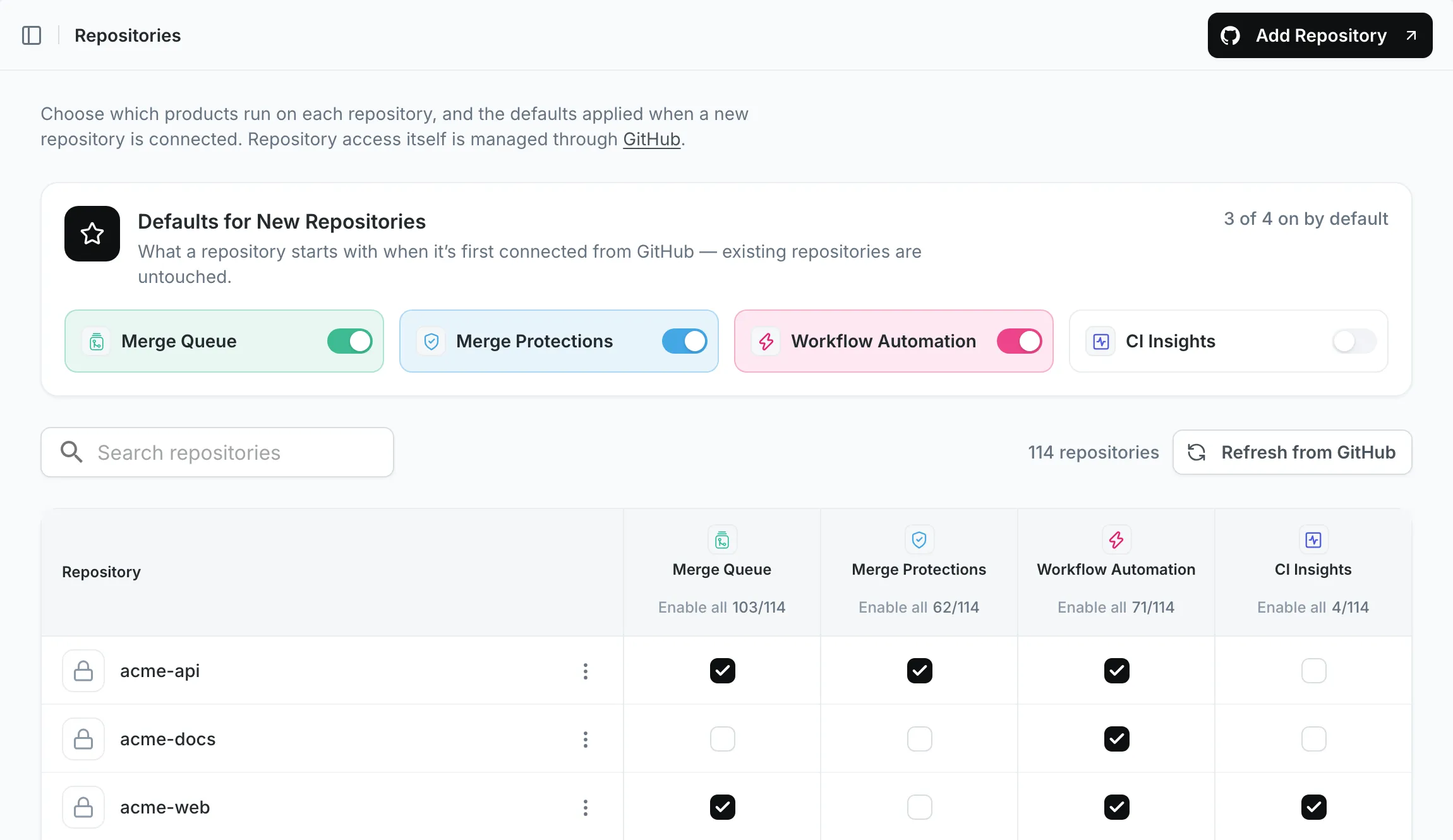
The Defaults for New Repositories card at the top sets what a repository
starts with when it is first connected from GitHub. It leaves your existing
repositories untouched, and it only appears if you hold the GitHub organization
Owner role or the Integrations Admin delegated
role.
To bring in a repository Mergify cannot see yet, use Add Repository, which sends you to GitHub to install the Mergify GitHub App on it.
Below the card, the table has one row per repository and one column per product: Merge Queue, Merge Protections, Workflow Automation, and CI Insights. Check the boxes for the products you want and confirm with Save Changes. Nothing is applied until you do.
Was this page helpful?
Thanks for your feedback!