Mitigation
Quarantine problematic tests to unblock CI without losing visibility.
When a flaky or broken test blocks CI, teams face a tough choice: fix it immediately, delete it, or ignore it. Quarantine offers a better option. The test keeps running, but its failures no longer block merges. You maintain full visibility without disruption.
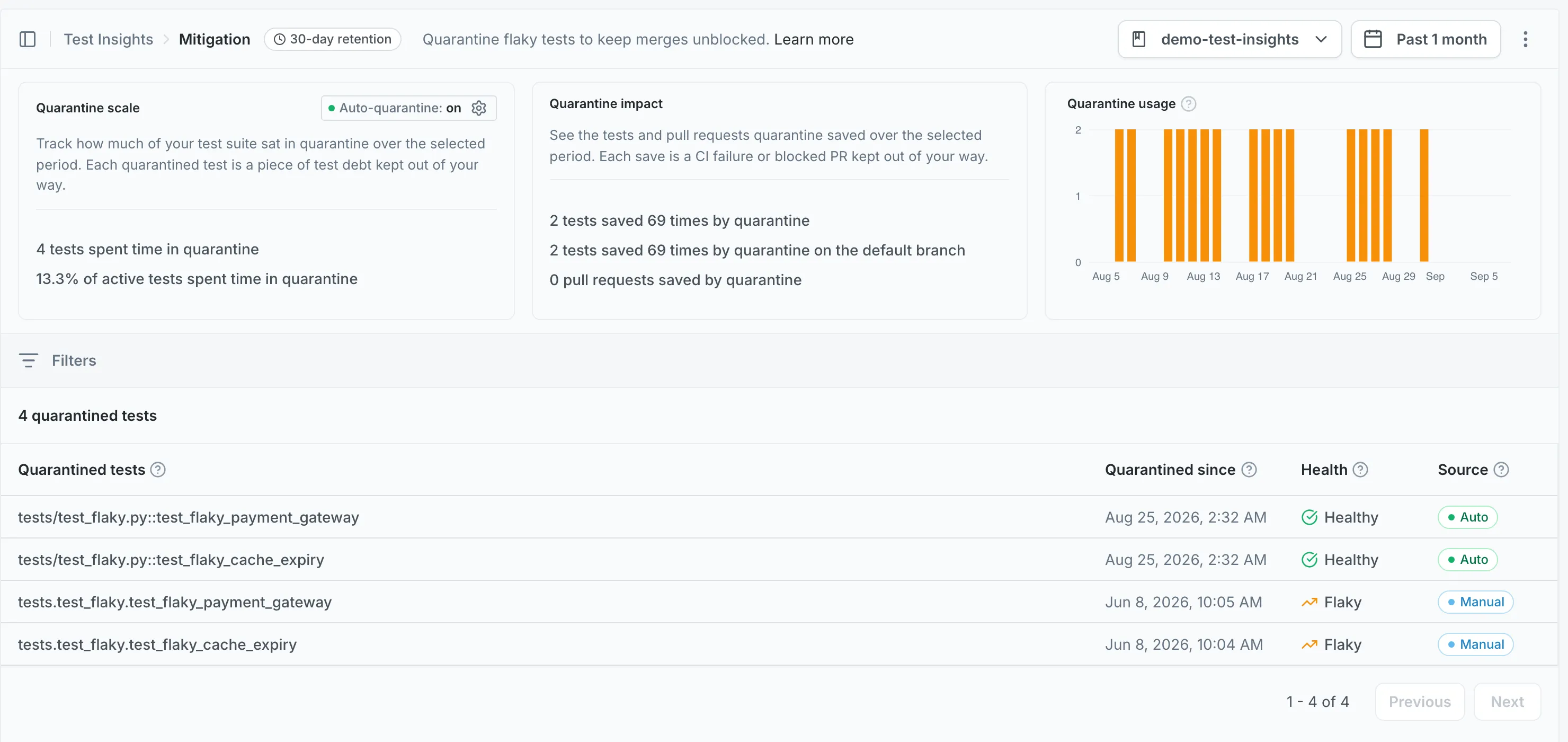
How quarantine works
Section titled How quarantine worksA quarantined test still executes in your CI pipeline and its results are still collected by Mergify. The difference is that failures are ignored for merge decisions.
This means:
-
Your CI stays green while you work on a fix
-
Historical data is preserved, so you can track whether the test improves or worsens over time
-
Other team members can see the test is quarantined and why
Quarantine works on any branch, not just the default branch.
Manual quarantine
Section titled Manual quarantineYou can manually add or remove specific tests from quarantine through the Mergify dashboard. This is useful when you’ve identified a problematic test through Detection and want to stop it from blocking your team while you investigate.
For technical details on how quarantine integrates with your CI pipeline, see the Quarantine documentation.
Auto-quarantine
Section titled Auto-quarantineAuto-quarantine lets Mergify automatically quarantine tests without manual intervention. By default, only flaky tests are quarantined automatically. You can also enable quarantining of known broken tests through an additional option.
This is useful for teams that want hands-off management of unreliable tests. You can enable or disable auto-quarantine per repository from the Mitigation page in the dashboard.
Practical workflows
Section titled Practical workflowsQuarantining a test from Detection
Section titled Quarantining a test from DetectionWhen you identify a high-impact flaky or broken test in Detection, you can quarantine it directly to stop it from blocking merges while you work on a fix.
Reviewing quarantined tests
Section titled Reviewing quarantined testsPeriodically check the Mitigation page to review quarantined tests. Look for tests whose health status has improved; these may be ready to be removed from quarantine.
Enabling auto-quarantine
Section titled Enabling auto-quarantineFor repositories where broken tests frequently block CI, enable auto-quarantine to let Mergify handle it automatically. This reduces manual overhead and keeps your CI pipeline moving.
Setup
Section titled SetupMitigation uses the same CI integration as Detection. To ensure quarantine works correctly, your CI must be configured to check quarantine status. See the Quarantine documentation for technical setup details.
Was this page helpful?
Thanks for your feedback!