Detection
Identify and prioritize unhealthy tests across your repositories.
Even with prevention in place, tests can degrade over time. Detection surfaces all unhealthy tests (flaky and broken) across your repositories, so you can see the full picture and prioritize what to fix.
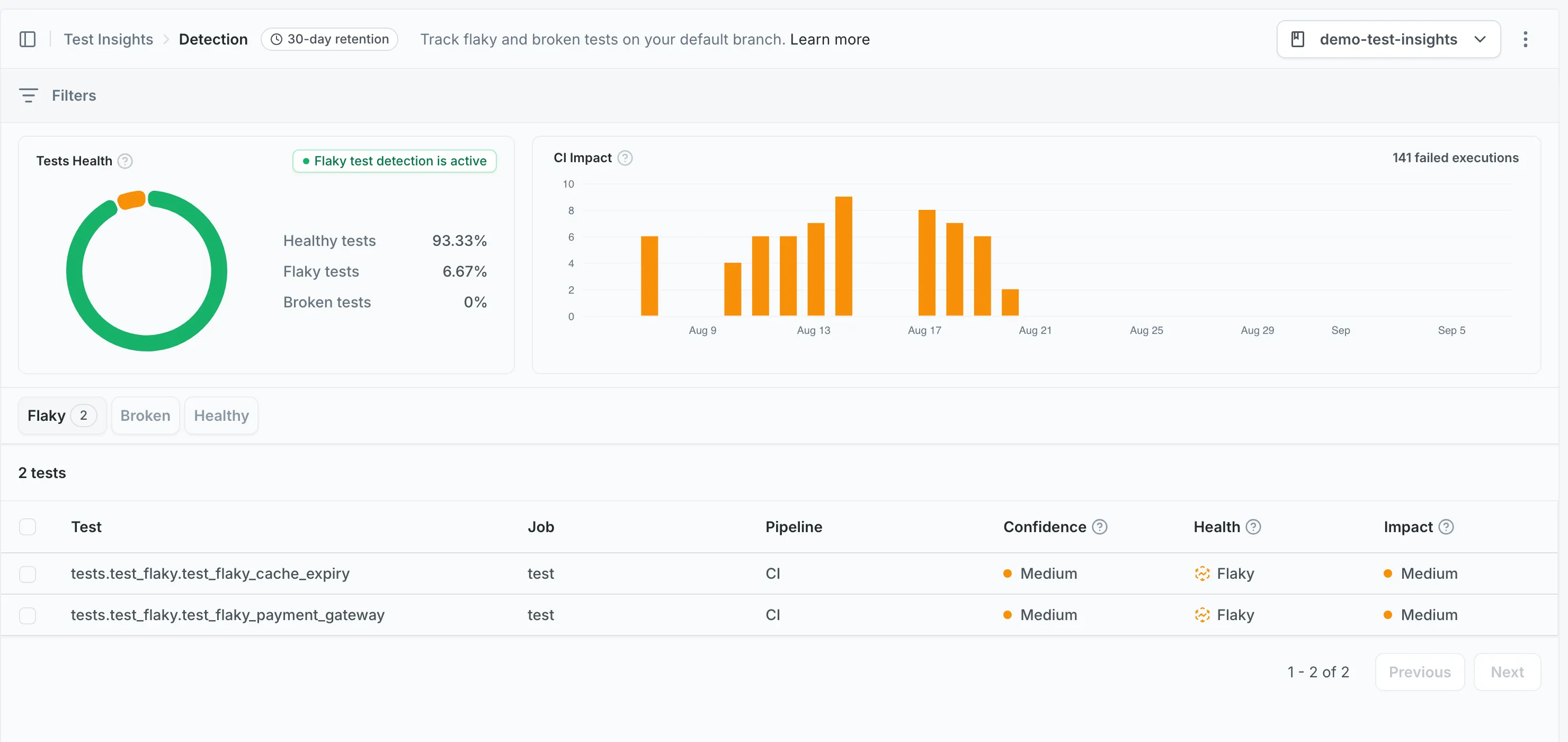
Which runs Detection reports on
Section titled Which runs Detection reports onDetection reports on tests that ran on your repository’s default branch. Results uploaded from pull request branches are stored, but they do not contribute to the metrics shown here.
A repository whose CI has only ever run on pull requests shows an empty Detection page, even though uploads are working. Merge to the default branch and the tests appear after that run completes.
The same scope applies outside the dashboard: the
mergify tests show command and the
test search API return default-branch results.
Prevention covers the pull request side of Test Insights: it reports on tests running on pull request branches.
How tests are classified
Section titled How tests are classifiedMergify classifies tests based on their results across multiple CI runs, with recent results weighted more heavily:
-
Flaky: The test produces inconsistent results on the same commit. It passes on some runs and fails on others, without any code changes.
-
Broken: The test fails consistently. Recent runs are weighted more heavily, so a test that started failing recently will be classified as broken even if it passed in earlier runs.
Only unhealthy tests (flaky or broken) appear in Detection. Healthy tests are not listed.
Understanding confidence
Section titled Understanding confidenceConfidence indicates how much data is available to assess a test’s health.
-
High confidence: Enough runs have been collected to make a reliable assessment. The health status is unlikely to change significantly.
-
Low confidence: Limited data is available. The health status could still shift as more runs are collected. Treat low-confidence results as preliminary.
Confidence increases as more CI runs are collected for a given test.
Rerunning unhealthy tests
Section titled Rerunning unhealthy testsMergify can rerun unhealthy tests automatically so they reach high confidence sooner, instead of waiting for them to run again on their own. Reruns stay within a budget you control, which caps the extra CI time they add.
This is opt-in per repository and requires a test framework plugin. Once a plugin is installed, set a rerun budget on the Detection page in the dashboard to enable it.
Prioritizing with impact
Section titled Prioritizing with impactThe impact metric reflects how many failed executions a test causes. A high-impact flaky test wastes more CI time and disrupts more workflows than a low-impact one.
Use impact to decide which tests to fix first: high-impact tests give you the most return on investment when fixed.
Practical workflows
Section titled Practical workflowsFinding your worst tests
Section titled Finding your worst testsSort by impact to surface the tests causing the most CI disruption. These are the best candidates for immediate attention.
Narrowing scope
Section titled Narrowing scopeUse filters to focus on specific areas:
- Test name: Search for a specific test or pattern
- Job name: Focus on tests within a particular CI job
- Pipeline name: Narrow to a specific CI pipeline
Checking quarantine status
Section titled Checking quarantine statusTests that have already been quarantined are indicated in the health status. This helps you avoid spending time investigating tests that are already being managed through Mitigation.
Setup
Section titled SetupDetection requires test metrics collection through repeated CI runs. See the CI setup guides for your platform:
Was this page helpful?
Thanks for your feedback!