API Usage
Integrate with Mergify using its API.
Mergify offers a comprehensive RESTful API that facilitates seamless integration. This API provides access to data and functionalities that can enhance your Mergify experience.
API Endpoint
Section titled API EndpointAll API requests should be directed to: https://api.mergify.com/v1/
The API is entirely documented in the API reference.
Authentication
Section titled AuthenticationCreating an Application Key
Section titled Creating an Application KeyTo start with the API, you’ll first need to create an application associated with your organization:
- Navigate to your dashboard.
- Proceed to create an Application.
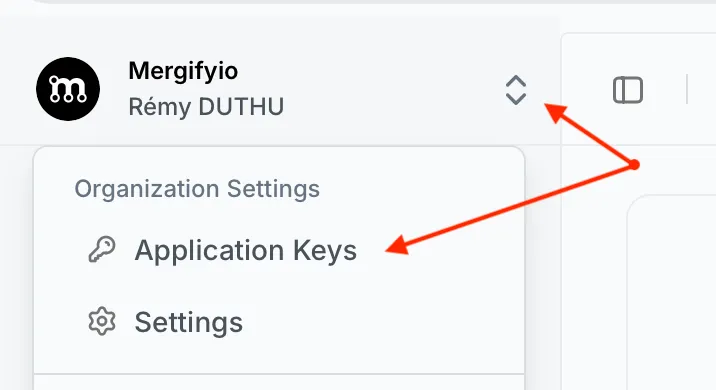
Upon successful creation, the dashboard will provide you with an API key.
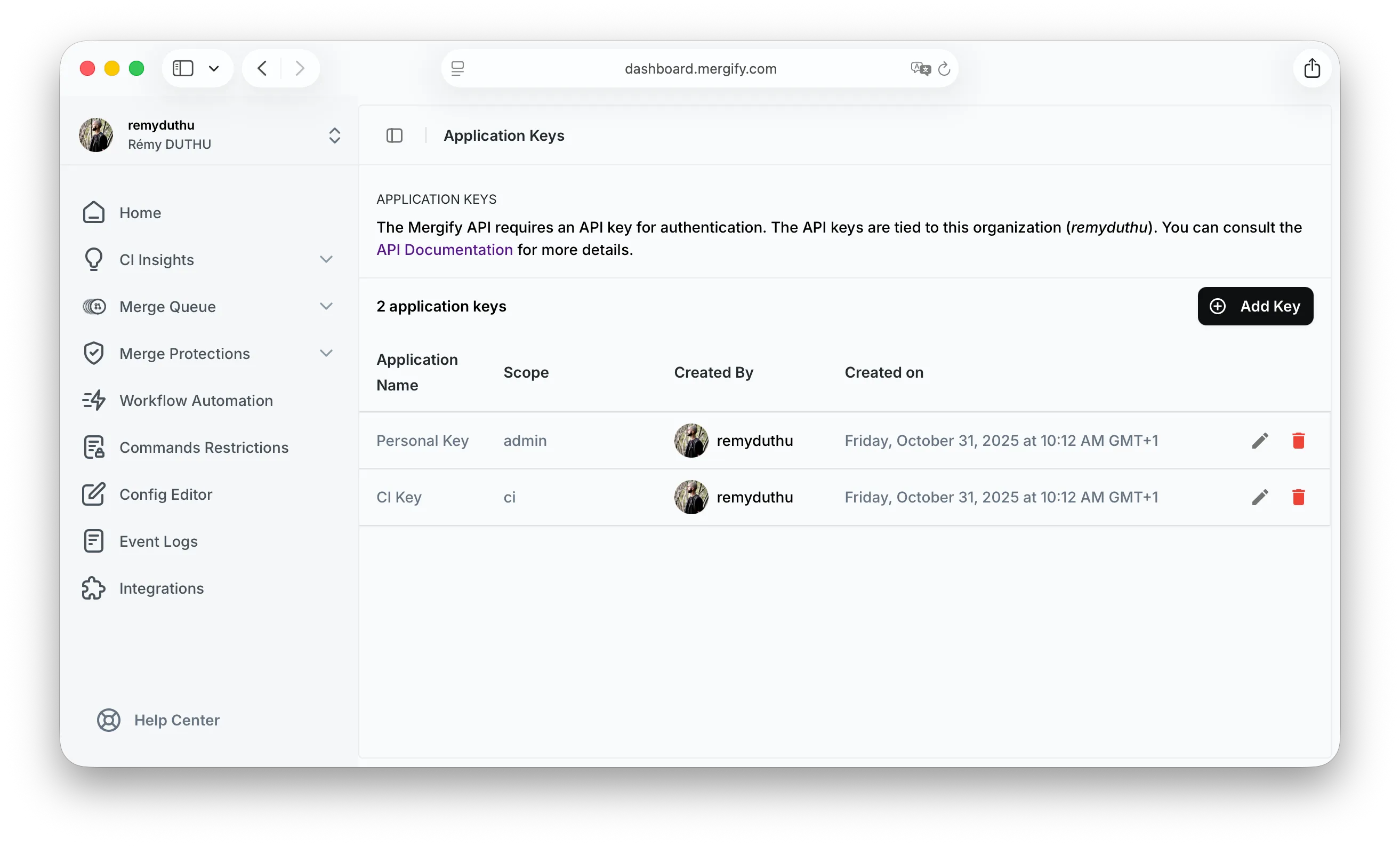
Application Key Scopes
Section titled Application Key ScopesApplication keys have different scopes that determine what they can access:
admin: Full access to all API endpoints, including administrative functions.ci: Limited to CI-related operations, such as uploading test results and accessing CI Insights data.
When creating an application key, select the appropriate scope based on your
needs. For CI Insights, use a key with the ci scope.
Using the API Key
Section titled Using the API KeyWith the provided API key, you’re set to make authenticated requests against the Mergify API. For example, to validate the authenticity of your token, you can retrieve your application’s information:
curl -H "Accept: application/json" -H "Authorization: Bearer <my-application-api-key>" https://api.mergify.com/v1/applicationResponse:
{ "id": 123, "name": "my application", "github_account": { "id": 123, "login": "Mergify", "type": "Organization", }}Using a GitHub Personal Access Token
Section titled Using a GitHub Personal Access TokenAs an alternative to application keys, you can authenticate to the Mergify API using a GitHub Personal Access Token (PAT) as a Bearer token. This is useful when integrating with tools that already have a GitHub token available, such as CI environments or the Mergify CLI.
Prerequisites
Section titled PrerequisitesYou must have logged in to the Mergify dashboard at least once using GitHub OAuth before using this method. The PAT is only used to verify your GitHub identity — all permissions are based on your Mergify account, not the PAT’s scopes.
Accepted Token Formats
Section titled Accepted Token Formatsghp_*— classic personal access tokensgithub_pat_*— fine-grained personal access tokens
Example
Section titled Examplecurl -H "Accept: application/json" \ -H "Authorization: Bearer <github-personal-access-token>" \ https://api.mergify.com/v1/applicationRevoking an Application Key
Section titled Revoking an Application KeyIf, for any reason, you need to revoke an application key:
- Head to the dashboard.
- Simply delete the corresponding application.
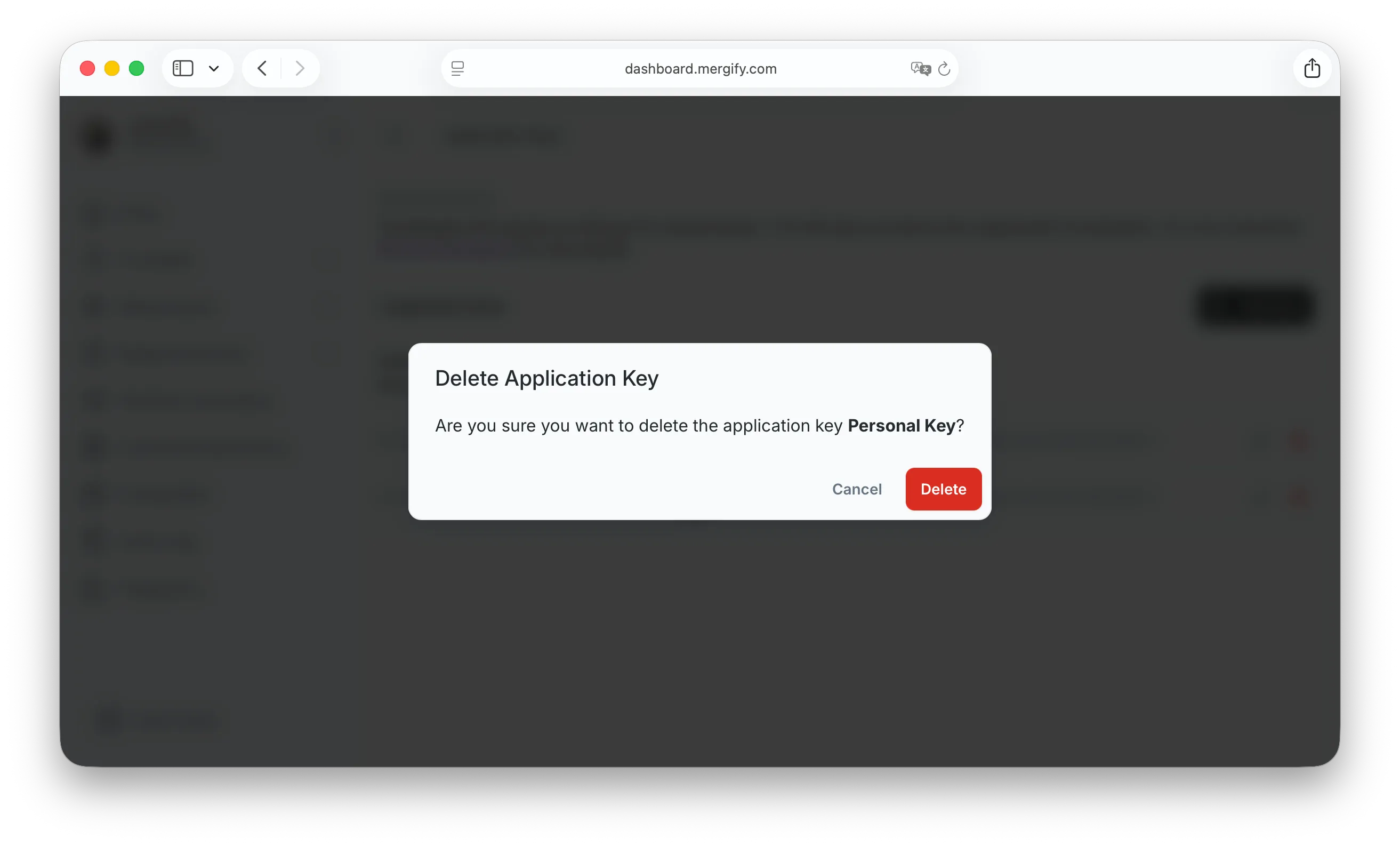
By doing so, the application and its key will be removed, revoking any access provided by that key.
Was this page helpful?
Thanks for your feedback!